Why I built it
As the projects grew, it got harder to see the whole picture. I wanted to know what kinds of work I was actually doing, what I still needed to practice, and how hosting and model costs added up across the apps.
What it does
Code Coach brings project activity, capability assessments, and operating costs into one dashboard. It uses a configurable rubric to show which kinds of engineering work appear in the project history and where there are gaps. Coaching briefs suggest areas to work on next, while the cost view brings hosting and reported model usage together by app. The levels help me reflect on my own progress and choose what to practice next.
What I built
A local collector that reads project history and coding-session records, classifies the work, and sends a derived snapshot to a hosted dashboard. A separate reporting path gathers model usage from the apps and hosting costs from Railway. Keeping the activity and cost views together helps me decide where to spend both my learning time and my budget.
Look across the whole set of projects.
What I’m practicing, what I’m shipping, and what it costs.
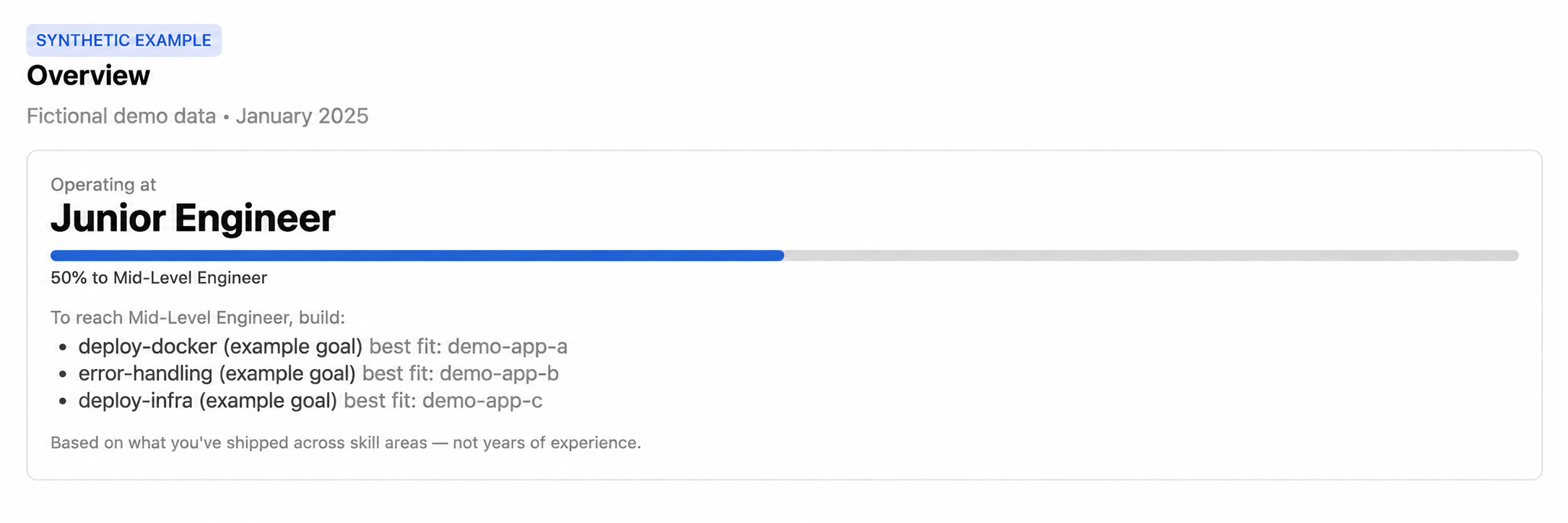
Find the gaps in my own practice.
An example assessment connects skill goals to demo projects. AI-generated illustration with synthetic data, not a personal qualification.
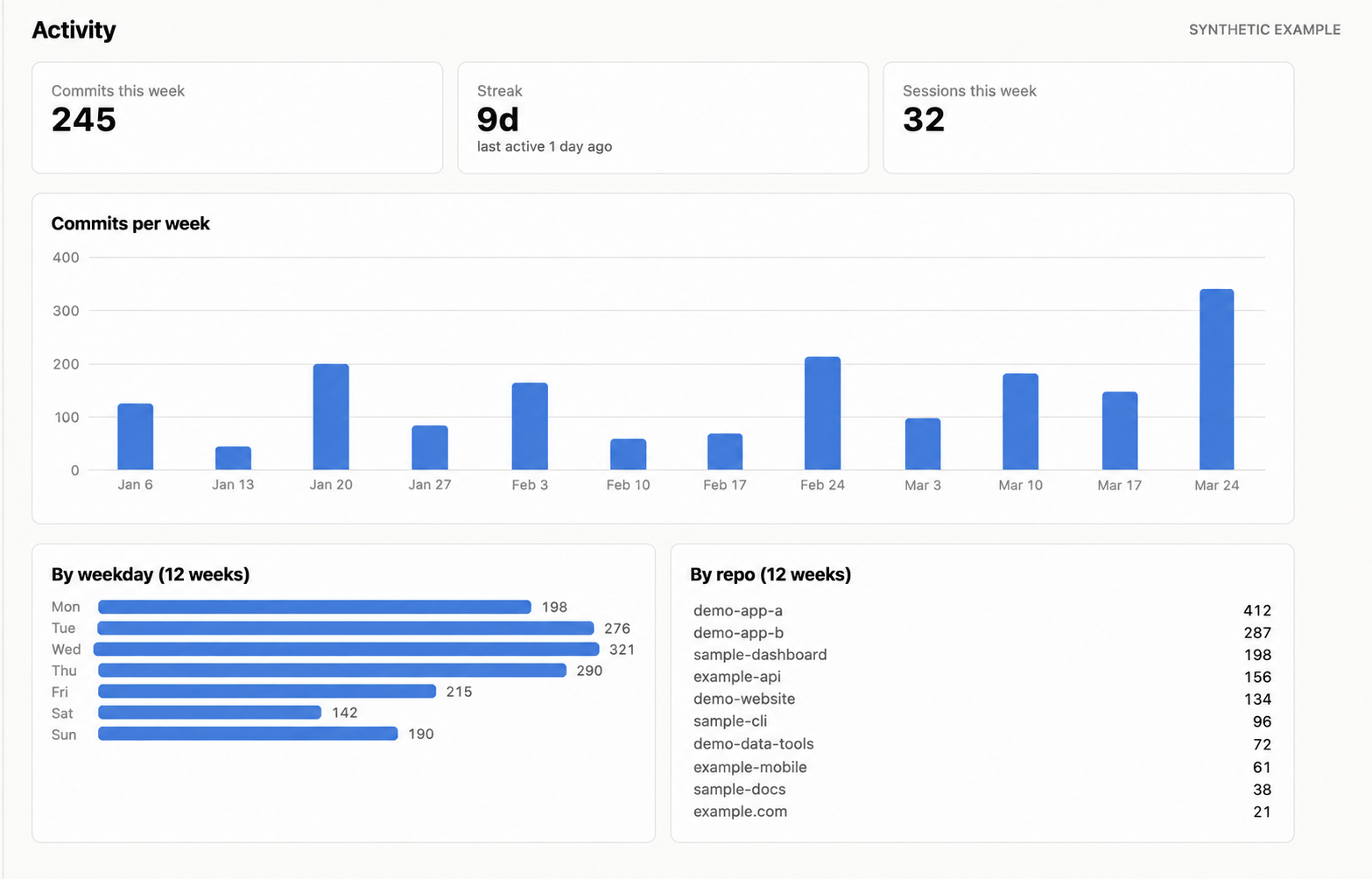
See where the work is happening.
Activity across projects makes it easier to spot where I have been spending time and how that changes from week to week. AI-generated illustration with synthetic data.
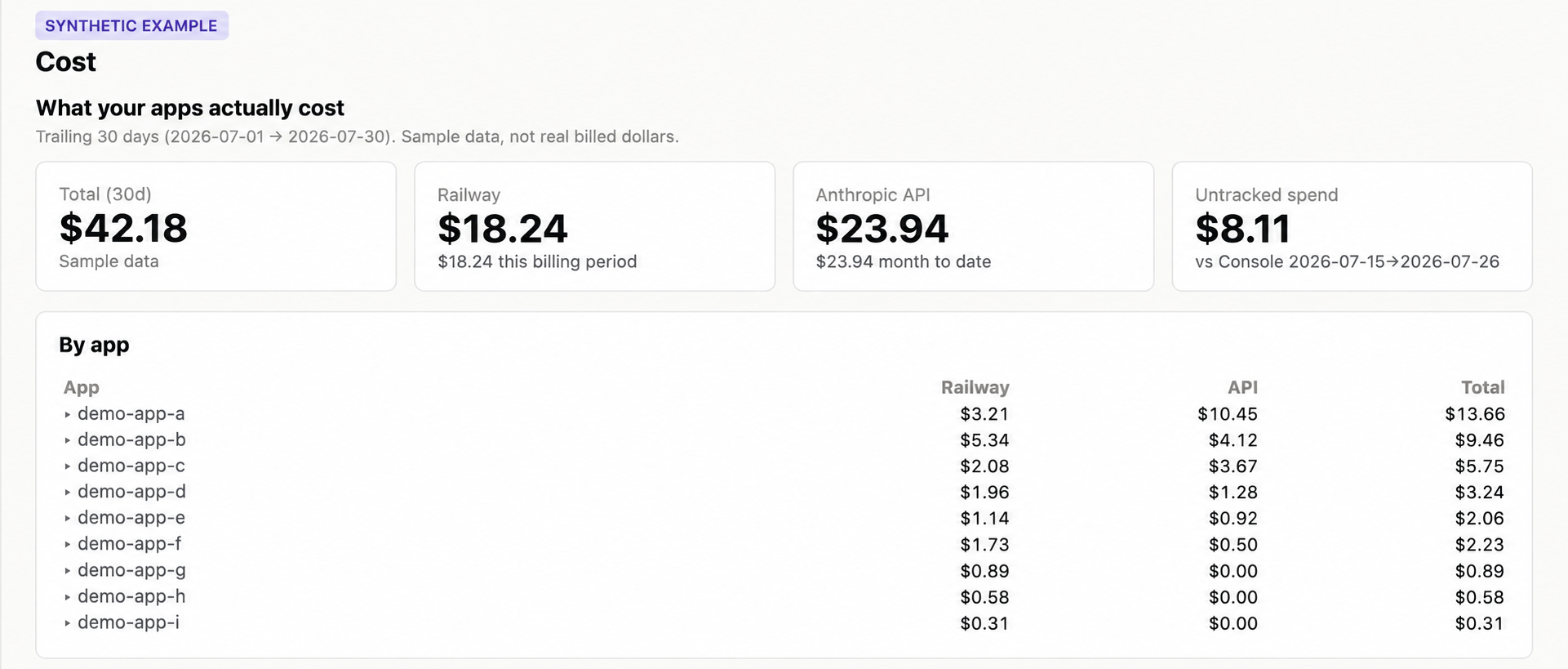
Put the running costs in one view.
Hosting and reported model usage sit together by app, so I can compare the costs without checking each service separately. AI-generated illustration with synthetic data.